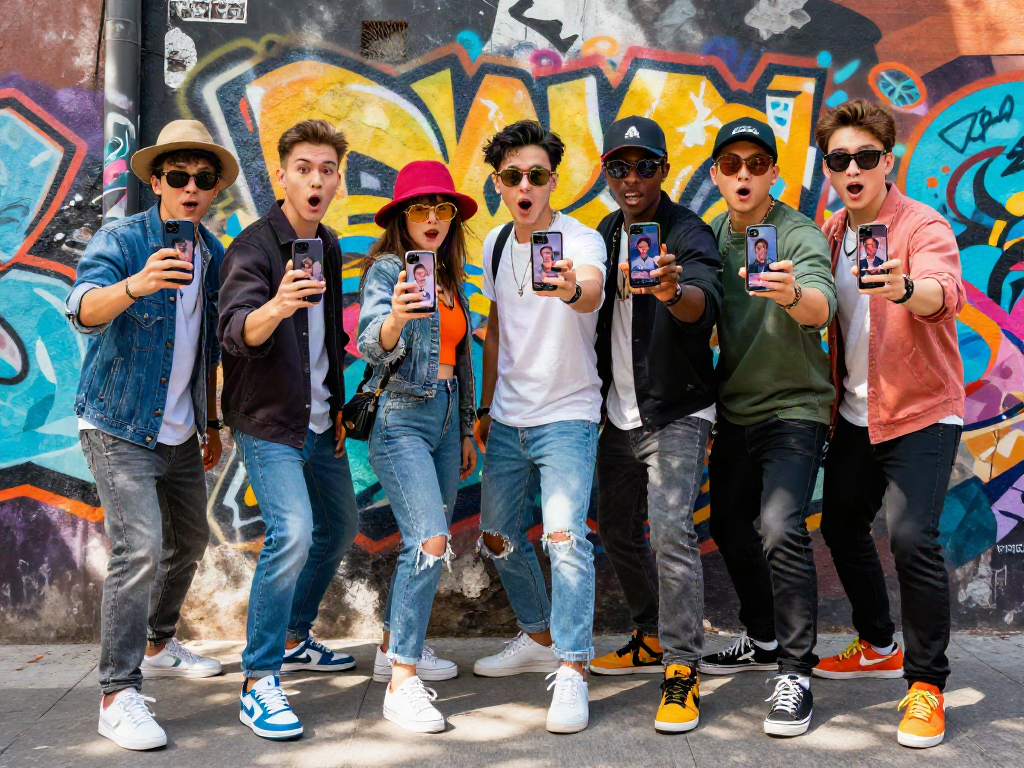
Klipy Overview: What You Need to Know
What is Klipy?
Klipy is a dynamic platform that has emerged as a frontrunner in the world of visual media, specializing in GIFs, stickers, memes, and short clips. It harnesses the power of technology to enhance communication, making digital conversations more engaging and expressive. By offering a diverse library of localized content, Klipy caters to a wide audience while focusing on personalization. Users can not only access an array of visual content but also create their own using intuitive tools, combining creativity with technology. For the latest features and updates, visit Klipy.
Key Features of Klipy
Klipy is built on several unique features that distinguish it from other platforms:
- Extensive Library: Klipy boasts one of the largest libraries of localized GIFs, stickers, and memes tailored for various cultures and languages.
- User-Friendly Interface: The platform is designed for ease of use, allowing users to generate and customize visual content effortlessly.
- AI-Driven Tools: Klipy applies AI technology to enhance GIF creation, ensuring that users can generate high-quality visuals with minimal effort.
- Integration Capabilities: Developers can easily integrate Klipy's API into their applications, expanding functionalities and enhancing user engagement.
- Analytics Dashboard: Users can track engagement and performance metrics for their created content, providing insights into successful strategies.
How Klipy Enhances Communication
The way we communicate is evolving, and visual content plays a crucial role in this transformation. Klipy enhances communication by providing quick, impactful ways to share emotions, reactions, and ideas through integrated visual elements. By allowing users to express themselves visually, Klipy makes conversations more relatable and engaging. Businesses can leverage this to humanize their branding and connect with audiences on a deeper level, ultimately resulting in more effective communication strategies.
Creating GIFs with Klipy: A Step-by-Step Guide
Setting Up Your Klipy Account
To begin using Klipy, you first need to create an account. Follow these steps:
- Visit the Klipy website and click on the "Sign Up" button.
- Provide the necessary information, including your email and password.
- Verify your account via the email confirmation link sent to you.
- Log into your account and explore the dashboard to get familiar with the interface.
Generating Your First GIF
Creating your first GIF on Klipy is a straightforward process:
- Select the 'Create GIF' option from the dashboard.
- Choose a template or start from scratch. Klipy offers a variety of templates catering to different themes.
- Upload your images or video clips that you want to convert into a GIF.
- Use the customization tools to adjust text, colors, and other elements.
- Preview your GIF and make necessary tweaks before saving.
- Once satisfied, save your GIF to your library or share it directly on social media.
Customizing Your GIFs for Maximum Impact
Customization is key to making your GIF stand out. Use the following tips:
- Use Vibrant Colors: Bright and contrasting colors attract attention.
- Incorporate Text: Adding relevant text can clarify the message and provide context.
- Keep It Short: The most impactful GIFs are simple and to the point, conveying messages quickly.
- Test for Engagement: Share your GIF with a small audience before a larger roll-out to gauge reactions.
Leveraging Klipy for Marketing Strategies
Utilizing GIFs in Social Media Campaigns
GIFs are incredibly shareable and can amplify your social media campaigns. Here's how to effectively use Klipy's GIFs in your marketing strategy:
- Highlight Brand Personality: Use GIFs that reflect the essence of your brand, showcasing humor or creativity.
- Engage Users: Encourage followers to create and share their own GIFs related to your campaign with a specific hashtag.
- Contextual Relevance: Use GIFs that resonate with current trends or events to increase relevance and shareability.
Boosting Engagement with Klipy Content
Engagement is crucial for digital marketing success. Unique and entertaining content can help boost interaction metrics:
- Encourage User-Generated Content: Ask your audience to create GIFs using your products and feature the best submissions.
- Run Contests: Host a contest where participants create GIFs, rewarding the most creative entries.
- Utilize GIFs in Emails: Incorporate GIFs in email newsletters to capture attention and improve click-through rates.
Measuring Success: Metrics to Track
To evaluate the effectiveness of your GIF content, focus on these metrics:
- Engagement Rates: Track likes, shares, and comments on social media posts that include GIFs.
- Conversion Rates: Measure the number of users who take desired actions after interacting with your GIFs.
- Traffic Sources: Analyze where traffic is coming from when users visit your website from GIF postings.
Common Challenges and Solutions When Using Klipy
Addressing Technical Issues
Technical problems can hinder your ability to use Klipy effectively. Common issues may include slow loading times or difficulties in uploading media. To solve these:
- Optimize Media Files: Compress images and videos before uploading to prevent lag.
- Keep Software Updated: Ensure your browser or app is the latest version to mitigate compatibility issues.
Overcoming Design Limitations
While Klipy offers intuitive tools, users sometimes feel restricted in design options. To enhance creativity:
- Experiment: Don't hesitate to try unconventional designs or combinations to make your GIFs unique.
- Seek Inspiration: Browse through popular GIFs for ideas on layout and themes.
Ensuring Content Accessibility
Making your content accessible to all users is essential for reaching a broader audience. To improve accessibility:
- Use Descriptive Text: Incorporate alt text for all GIFs to assist those using screen readers.
- Consider Timing: Ensure that any text in GIFs is displayed long enough for users to read.
Future Trends: Where Klipy is Heading
The Role of AI in Visual Content Creation
The integration of AI into content generation is a growing trend. Klipy is expected to evolve with AI-driven features that streamline GIF creation, providing users with smart suggestions based on trending topics and emotional context. This shift will not only save time but also enhance creativity.
Predictions for GIFs in Digital Communication
As communication continues to shift towards visual expression, the demand for quality GIFs will only grow. Businesses will increasingly adopt these animated visuals in their marketing strategies, leading to more personalized customer interactions. The availability of localized content will further increase relevance across different cultural contexts.
Preparing for Advanced Features in Klipy
As Klipy continues to develop, users can expect innovative features such as advanced customization options and richer analytics. Staying updated on platform developments will ensure that users can maximize their content strategies and engage effectively with their audience.
Frequently Asked Questions
1. Does Klipy use AI?
Yes, Klipy uses AI to enhance GIF creation and provide users with intelligent suggestions, making content generation smoother and more effective.
2. Is Klipy free to use?
Klipy offers free access to its core features, making it an appealing option for users looking to create visual content without financial barriers.
3. How can I share my Klipy creations?
Once you've created a GIF, you can easily share it on social media platforms or embed it on your website directly from Klipy.
4. Can I integrate Klipy into my app?
Yes, Klipy provides API integration capabilities, allowing developers to incorporate GIFs and stickers directly into their applications.
5. What types of visual content can I create with Klipy?
With Klipy, you can create GIFs, stickers, memes, and short clips, all customizable to suit your needs and target audience.